Customize heating schedules to match your daily routine. Automatically turns off when you leave for work, preheats your home before you return home, and adjusts to a comfortable temperature before bedtime. Heat only the spaces you need, when you need them, achieving the perfect balance of comfort and efficiency. Save up to over 30% on heating costs annually.
App Control
Adjust your home’s temperature anytime, anywhere, even when you’re away. Enjoy free features like geofencing, smart scheduling, temperature monitoring, and window status detection to save energy and reduce costs. Includes automatic descaling and frost protection for complete heating system protection.
Quick & Easy Installation
No professional tools or modifications required. Simply attach the thermostat to your radiator using the metal nut and follow the step-by-step guide in the app to pair. Comes standard with 6 adapters (Danfoss RA, Danfoss RAV, Danfoss RAVL, M28x1.5, Giacomini, and Caleffi), which fits most radiators on the market without the need for separate purchases.
Multi-Room Smart Linking
Supports independent control of multiple thermostatic valves. Warm up the kids’ room before they get home, delay cooling for adults who stay up late, or keep storage rooms at low temperatures to avoid energy waste. Every family member gets their own comfortable temperature.
Up to 10-Month Battery Life
A single set of batteries lasts an entire heating season, with low-battery alerts to keep you prepared. Equipped with a clear digital display, so temperature, power level, and operating status are always easy to check at a glance.
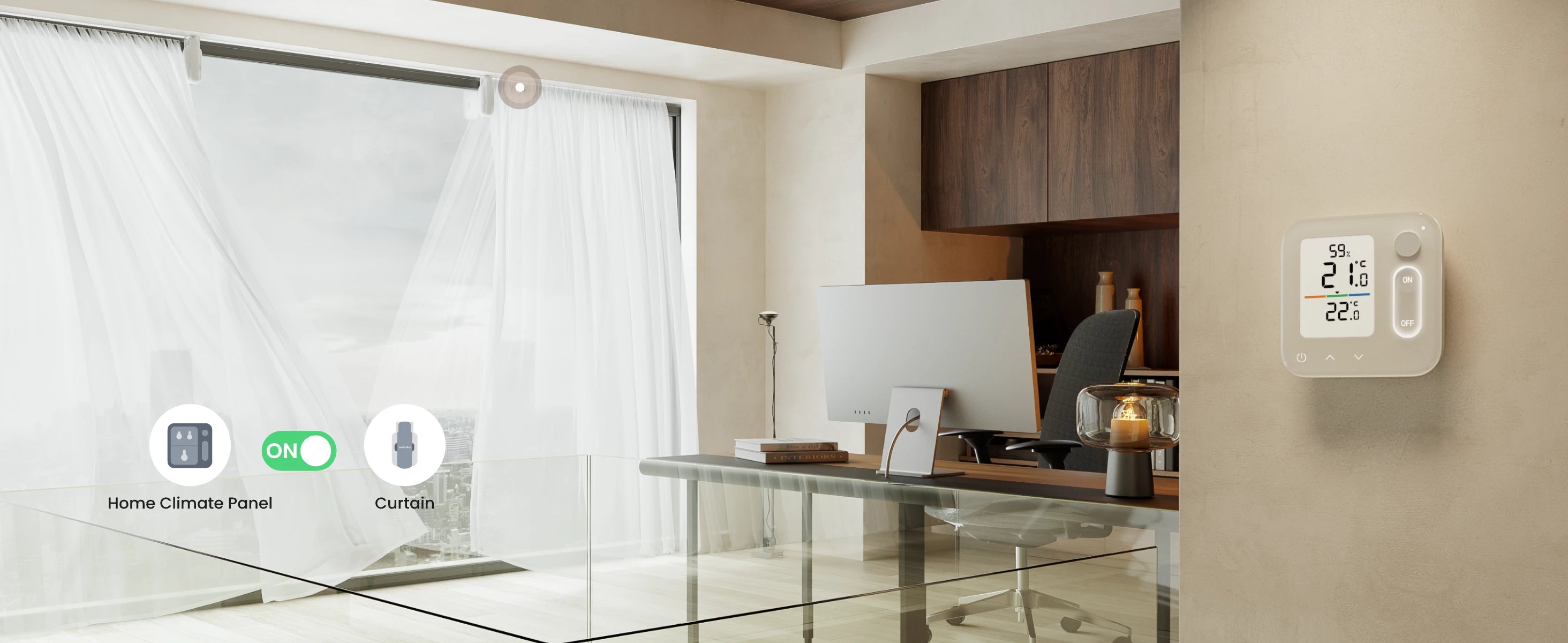
Pair with Home Climate Panel
No phone or voice commands needed. Anyone at home can control heating with a single press to turn it on/off or adjust temperature. Sync multiple radiator valves for whole-home comfort, or pair multiple panels for independent multi-zone control, keeping every room at the perfect temperature.
Warranty
SwitchBot Smart Radiator Thermostat Panel Matter Combo is covered by a 1-year warranty.
Frequently Bought With
{"id":7688125808807,"title":"SwitchBot Curtain 3","handle":"switchbot-curtain-3","description":"\u003ch6\u003eProduct Description\u003c\/h6\u003e\n\u003cul\u003e\n\u003cli\u003e\u003cspan data-mce-fragment=\"1\"\u003e\u003cstrong\u003eSimply Attach and You're Ready to Go\u003c\/strong\u003e: Upgrade your curtains effortlessly, no changes or tools needed. Hang it up, install the positioning magnets, and connect to our app. 3 simple steps for smart curtains in any room. Suitable for bedrooms, living rooms, offices, baby rooms, and more.\u003c\/span\u003e\u003c\/li\u003e\n\u003cli\u003e\n\u003cspan data-mce-fragment=\"1\"\u003e\u003c\/span\u003e\u003cspan class=\"a-list-item\"\u003e\u003cstrong\u003eTwice as Strong, Now More Accurate\u003c\/strong\u003e: Curtain 3 (Rod) offers over twice the thrust compared to the previous gen, and our all-new upgraded motor ensures smooth operation even on heavy curtains (up to 15KG), perfect for thick curtain materials. Now comes with a positioning magnet to ensure precise control, eliminating the need for repeated calibration and prevents light leakage. When using an extendable rod please note if the diameter of the extendable area of your rod is less than 5\/8 inch this device will not be compatible.\u003c\/span\u003e\n\u003c\/li\u003e\n\u003cli\u003e\u003cspan class=\"a-list-item\"\u003e\u003cstrong\u003eLess Noise with Silent Mode\u003c\/strong\u003e: Our smart curtains include a Silent Mode to enable your device motor to operat below 25dB, allowing your curtains to drift slower and quieter to remove disturbances, great for waking up in the morning and perfect for those with sleep disorders or people who are sensitive to sound. This environmentally friendly device is easy to use, saves electricity, and conserves energy.\u003c\/span\u003e\u003c\/li\u003e\n\u003cli\u003e\u003cspan class=\"a-list-item\"\u003e\u003cstrong\u003eMultiple Control Methods\u003c\/strong\u003e: Use our app to manage curtain opening, closing, and open percentage. Set custom schedules for fully automated curtains. With SwitchBot Hub, you can also use voice commands via Alexa, Google Home, SmartThings, Siri Shortcuts, and IFTTT all from your sofa. ※If your curtains open in the middle you need two units.\u003c\/span\u003e\u003c\/li\u003e\n\u003cli\u003e\u003cspan class=\"a-list-item\"\u003e\u003cstrong\u003eSupports Matter\u003c\/strong\u003e: With SwitchBot Hub 2 (sold separately), Curtain 3 supports Matter and can be integrated with Apple HomeKit. Control your curtains via the Home App or using your HomePod\/Apple Watch. You can also use with other SwitchBot devices for better automation and scene control. ※If your curtains open in the middle you need two units.\u003c\/span\u003e\u003c\/li\u003e\n\u003c\/ul\u003e\n\u003ch6\u003eCompatibility \u0026amp; Installation\u003c\/h6\u003e\n\u003cp\u003e\u003cspan class=\"a-list-item\"\u003e\u003cspan\u003eFits almost any curtain track, the SwitchBot Curtain 3 is compatible with a wide range of curtain tracks. We have options to suit nearly every setup. \u003c\/span\u003e\u003c\/span\u003e\u003cspan class=\"a-list-item\"\u003e\u003cspan\u003e\u003cspan style=\"color: rgb(224, 57, 58);\"\u003e\u003ca style=\"color: rgb(224, 57, 58);\" href=\"https:\/\/eu.switch-bot.com\/pages\/switchbot-curtain-3-compatibility\" rel=\"noopener\" target=\"_blank\"\u003e\u003ci\u003e\u003cu\u003e\u003cb\u003eCheck compatibility \u0026gt;\u003c\/b\u003e\u003c\/u\u003e\u003c\/i\u003e\u003c\/a\u003e\u003c\/span\u003e\u003c\/span\u003e\u003c\/span\u003e\u003c\/p\u003e\n\u003ch6\u003eSmart Home Integration\u003c\/h6\u003e\n\u003cul\u003e\n\u003cli\u003e\u003cspan class=\"a-list-item\"\u003eWith SwitchBot Hub (sold separately), you can also use voice commands via Alexa, Google Home, SmartThings, Siri Shortcuts, and IFTTT all from your sofa. \u003c\/span\u003e\u003c\/li\u003e\n\u003cli\u003e\n\u003cspan class=\"a-list-item\"\u003eWith SwitchBot Hub 2 (sold separately), Curtain 3 supports Matter and can be integrated with Apple HomeKit. Control your curtains via the Home App or using your HomePod\/Apple Watch.\u003c\/span\u003e\u003cspan class=\"a-list-item\"\u003e\u003c\/span\u003e\n\u003c\/li\u003e\n\u003c\/ul\u003e\n\u003ch6\u003eProduct Information and Specs\u003c\/h6\u003e\n\u003cp\u003e\u003cspan class=\"a-list-item\"\u003e\u003cspan\u003e\u003cstrong\u003eSize:\u003c\/strong\u003e\u003cbr\u003eRod: 78 × 71 × 205 mm (3.1 × 2.8 × 8.1 in.)\u003cbr\u003eU Rail: 66 × 51 × 173 mm (2.6 × 2 × 6.8 in.)\u003cbr\u003e\u003c\/span\u003e\u003c\/span\u003e\u003c\/p\u003e\n\u003cp\u003e\u003cstrong\u003e\u003cspan class=\"a-list-item\"\u003eWeight: \u003c\/span\u003e\u003c\/strong\u003e\u003cspan class=\"a-list-item\"\u003e\u003cspan\u003e280 g (9.9 oz.)\u003c\/span\u003e\u003c\/span\u003e\u003c\/p\u003e\n\u003ch6\u003eWarranty\u003c\/h6\u003e\n\u003cp\u003e\u003cspan class=\"a-list-item\"\u003e\u003cspan\u003eSwitchBot Curtain is covered by a 1-year warranty.\u003c\/span\u003e\u003c\/span\u003e\u003c\/p\u003e\n\u003cp\u003e \u003c\/p\u003e","published_at":"2023-08-31T10:39:20+08:00","created_at":"2023-08-08T18:49:57+08:00","vendor":"SwitchBot","type":"","tags":[],"price":999,"price_min":999,"price_max":35996,"available":true,"price_varies":true,"compare_at_price":19998,"compare_at_price_min":19998,"compare_at_price_max":19998,"compare_at_price_varies":false,"variants":[{"id":43417958744231,"title":"U Rail \/ 1-Pack","option1":"U Rail","option2":"1-Pack","option3":null,"sku":"850046603495","requires_shipping":true,"taxable":false,"featured_image":{"id":35411123273895,"product_id":7688125808807,"position":1,"created_at":"2023-12-07T18:25:45+08:00","updated_at":"2025-12-29T12:14:30+08:00","alt":"SwitchBot Curtain 3 U Rail 1-Pack - SwitchBot","width":2048,"height":2048,"src":"\/\/www.switch-bot.com\/cdn\/shop\/products\/switchbot-curtain-3-550554.jpg?v=1766981670","variant_ids":[43417958744231]},"available":true,"name":"SwitchBot Curtain 3 - U Rail \/ 1-Pack","public_title":"U Rail \/ 1-Pack","options":["U Rail","1-Pack"],"price":8999,"weight":0,"compare_at_price":null,"inventory_management":"shopify","barcode":"850046603495","featured_media":{"alt":"SwitchBot Curtain 3 U Rail 1-Pack - SwitchBot","id":28305264115879,"position":1,"preview_image":{"aspect_ratio":1.0,"height":2048,"width":2048,"src":"\/\/www.switch-bot.com\/cdn\/shop\/products\/switchbot-curtain-3-550554.jpg?v=1766981670"}},"requires_selling_plan":false,"selling_plan_allocations":[],"quantity_rule":{"min":1,"max":null,"increment":1}},{"id":43419109195943,"title":"U Rail \/ 2-Pack","option1":"U Rail","option2":"2-Pack","option3":null,"sku":"850046603495X2","requires_shipping":true,"taxable":false,"featured_image":{"id":35411123437735,"product_id":7688125808807,"position":10,"created_at":"2023-12-07T18:25:45+08:00","updated_at":"2025-12-29T12:14:30+08:00","alt":"SwitchBot Curtain 3 U Rail 2-Pack - SwitchBot","width":1600,"height":1600,"src":"\/\/www.switch-bot.com\/cdn\/shop\/products\/switchbot-curtain-3-334335.jpg?v=1766981670","variant_ids":[43419109195943]},"available":true,"name":"SwitchBot Curtain 3 - U Rail \/ 2-Pack","public_title":"U Rail \/ 2-Pack","options":["U Rail","2-Pack"],"price":17998,"weight":0,"compare_at_price":null,"inventory_management":"shopify","barcode":"850046603495","featured_media":{"alt":"SwitchBot Curtain 3 U Rail 2-Pack - SwitchBot","id":28305264279719,"position":11,"preview_image":{"aspect_ratio":1.0,"height":1600,"width":1600,"src":"\/\/www.switch-bot.com\/cdn\/shop\/products\/switchbot-curtain-3-334335.jpg?v=1766981670"}},"requires_selling_plan":false,"selling_plan_allocations":[],"quantity_rule":{"min":1,"max":null,"increment":1}},{"id":43419109228711,"title":"U Rail \/ 4-Pack","option1":"U Rail","option2":"4-Pack","option3":null,"sku":"850046603495X4","requires_shipping":true,"taxable":false,"featured_image":{"id":35411123404967,"product_id":7688125808807,"position":12,"created_at":"2023-12-07T18:25:45+08:00","updated_at":"2025-12-29T12:14:30+08:00","alt":"SwitchBot Curtain 3 U Rail 4-Pack - SwitchBot","width":1600,"height":1600,"src":"\/\/www.switch-bot.com\/cdn\/shop\/products\/switchbot-curtain-3-158882.jpg?v=1766981670","variant_ids":[43419109228711]},"available":true,"name":"SwitchBot Curtain 3 - U Rail \/ 4-Pack","public_title":"U Rail \/ 4-Pack","options":["U Rail","4-Pack"],"price":35996,"weight":0,"compare_at_price":null,"inventory_management":"shopify","barcode":"850046603495","featured_media":{"alt":"SwitchBot Curtain 3 U Rail 4-Pack - SwitchBot","id":28305264246951,"position":13,"preview_image":{"aspect_ratio":1.0,"height":1600,"width":1600,"src":"\/\/www.switch-bot.com\/cdn\/shop\/products\/switchbot-curtain-3-158882.jpg?v=1766981670"}},"requires_selling_plan":false,"selling_plan_allocations":[],"quantity_rule":{"min":1,"max":null,"increment":1}},{"id":43417958711463,"title":"Rod Type 1 \/ 1-Pack","option1":"Rod Type 1","option2":"1-Pack","option3":null,"sku":"810150544701","requires_shipping":true,"taxable":false,"featured_image":{"id":39374961246375,"product_id":7688125808807,"position":9,"created_at":"2025-06-26T19:15:45+08:00","updated_at":"2025-12-29T12:14:30+08:00","alt":"SwitchBot Curtain 3 Rod Type 1 1-Pack - SwitchBot","width":1600,"height":1600,"src":"\/\/www.switch-bot.com\/cdn\/shop\/files\/1x_7_fee7713c-6582-4c69-94ad-f3df55162fe6.png?v=1766981670","variant_ids":[43417958711463]},"available":true,"name":"SwitchBot Curtain 3 - Rod Type 1 \/ 1-Pack","public_title":"Rod Type 1 \/ 1-Pack","options":["Rod Type 1","1-Pack"],"price":9999,"weight":0,"compare_at_price":null,"inventory_management":"shopify","barcode":"810150544701","featured_media":{"alt":"SwitchBot Curtain 3 Rod Type 1 1-Pack - SwitchBot","id":31377950572711,"position":10,"preview_image":{"aspect_ratio":1.0,"height":1600,"width":1600,"src":"\/\/www.switch-bot.com\/cdn\/shop\/files\/1x_7_fee7713c-6582-4c69-94ad-f3df55162fe6.png?v=1766981670"}},"requires_selling_plan":false,"selling_plan_allocations":[],"quantity_rule":{"min":1,"max":null,"increment":1}},{"id":43419109130407,"title":"Rod Type 1 \/ 2-Pack","option1":"Rod Type 1","option2":"2-Pack","option3":null,"sku":"810150544701X2","requires_shipping":true,"taxable":false,"featured_image":{"id":39374933328039,"product_id":7688125808807,"position":11,"created_at":"2025-06-26T18:57:18+08:00","updated_at":"2025-12-29T12:14:30+08:00","alt":"SwitchBot Curtain 3 Rod Type 1 2-Pack - SwitchBot","width":1600,"height":1600,"src":"\/\/www.switch-bot.com\/cdn\/shop\/files\/1x_4.png?v=1766981670","variant_ids":[43419109130407]},"available":true,"name":"SwitchBot Curtain 3 - Rod Type 1 \/ 2-Pack","public_title":"Rod Type 1 \/ 2-Pack","options":["Rod Type 1","2-Pack"],"price":16999,"weight":0,"compare_at_price":19998,"inventory_management":"shopify","barcode":"810150544701","featured_media":{"alt":"SwitchBot Curtain 3 Rod Type 1 2-Pack - SwitchBot","id":31377934549159,"position":12,"preview_image":{"aspect_ratio":1.0,"height":1600,"width":1600,"src":"\/\/www.switch-bot.com\/cdn\/shop\/files\/1x_4.png?v=1766981670"}},"requires_selling_plan":false,"selling_plan_allocations":[],"quantity_rule":{"min":1,"max":null,"increment":1}},{"id":43419109163175,"title":"Rod Type 1 \/ 4-Pack","option1":"Rod Type 1","option2":"4-Pack","option3":null,"sku":"810150544701X4","requires_shipping":true,"taxable":false,"featured_image":{"id":39374931886247,"product_id":7688125808807,"position":13,"created_at":"2025-06-26T18:55:58+08:00","updated_at":"2025-12-29T12:14:30+08:00","alt":"SwitchBot Curtain 3 Rod Type 1 4-Pack - SwitchBot","width":1600,"height":1600,"src":"\/\/www.switch-bot.com\/cdn\/shop\/files\/1x_3.png?v=1766981670","variant_ids":[43419109163175]},"available":true,"name":"SwitchBot Curtain 3 - Rod Type 1 \/ 4-Pack","public_title":"Rod Type 1 \/ 4-Pack","options":["Rod Type 1","4-Pack"],"price":33998,"weight":0,"compare_at_price":null,"inventory_management":"shopify","barcode":"810150544701","featured_media":{"alt":"SwitchBot Curtain 3 Rod Type 1 4-Pack - SwitchBot","id":31377933828263,"position":14,"preview_image":{"aspect_ratio":1.0,"height":1600,"width":1600,"src":"\/\/www.switch-bot.com\/cdn\/shop\/files\/1x_3.png?v=1766981670"}},"requires_selling_plan":false,"selling_plan_allocations":[],"quantity_rule":{"min":1,"max":null,"increment":1}},{"id":45200680583335,"title":"I Rail Accessory Kit ( (Only U Rail 3 is compatible with I Rail accessories.) \/ 1-Pack","option1":"I Rail Accessory Kit ( (Only U Rail 3 is compatible with I Rail accessories.)","option2":"1-Pack","option3":null,"sku":"850046603532","requires_shipping":true,"taxable":false,"featured_image":{"id":36063098601639,"product_id":7688125808807,"position":14,"created_at":"2024-04-20T03:24:55+08:00","updated_at":"2025-12-17T11:22:57+08:00","alt":"SwitchBot Curtain 3 I Rail Accessory Kit ( (Only U Rail 3 is compatible with I Rail accessories.) - SwitchBot","width":700,"height":700,"src":"\/\/www.switch-bot.com\/cdn\/shop\/files\/switchbot-curtain-3-842401.webp?v=1765941777","variant_ids":[45200680583335,45200680616103,45200680648871]},"available":true,"name":"SwitchBot Curtain 3 - I Rail Accessory Kit ( (Only U Rail 3 is compatible with I Rail accessories.) \/ 1-Pack","public_title":"I Rail Accessory Kit ( (Only U Rail 3 is compatible with I Rail accessories.) \/ 1-Pack","options":["I Rail Accessory Kit ( (Only U Rail 3 is compatible with I Rail accessories.)","1-Pack"],"price":999,"weight":0,"compare_at_price":null,"inventory_management":"shopify","barcode":"850046603532","featured_media":{"alt":"SwitchBot Curtain 3 I Rail Accessory Kit ( (Only U Rail 3 is compatible with I Rail accessories.) - SwitchBot","id":28991755813031,"position":15,"preview_image":{"aspect_ratio":1.0,"height":700,"width":700,"src":"\/\/www.switch-bot.com\/cdn\/shop\/files\/switchbot-curtain-3-842401.webp?v=1765941777"}},"requires_selling_plan":false,"selling_plan_allocations":[],"quantity_rule":{"min":1,"max":null,"increment":1}},{"id":45200680616103,"title":"I Rail Accessory Kit ( (Only U Rail 3 is compatible with I Rail accessories.) \/ 2-Pack","option1":"I Rail Accessory Kit ( (Only U Rail 3 is compatible with I Rail accessories.)","option2":"2-Pack","option3":null,"sku":"850046603532X2","requires_shipping":true,"taxable":false,"featured_image":{"id":36063098601639,"product_id":7688125808807,"position":14,"created_at":"2024-04-20T03:24:55+08:00","updated_at":"2025-12-17T11:22:57+08:00","alt":"SwitchBot Curtain 3 I Rail Accessory Kit ( (Only U Rail 3 is compatible with I Rail accessories.) - SwitchBot","width":700,"height":700,"src":"\/\/www.switch-bot.com\/cdn\/shop\/files\/switchbot-curtain-3-842401.webp?v=1765941777","variant_ids":[45200680583335,45200680616103,45200680648871]},"available":true,"name":"SwitchBot Curtain 3 - I Rail Accessory Kit ( (Only U Rail 3 is compatible with I Rail accessories.) \/ 2-Pack","public_title":"I Rail Accessory Kit ( (Only U Rail 3 is compatible with I Rail accessories.) \/ 2-Pack","options":["I Rail Accessory Kit ( (Only U Rail 3 is compatible with I Rail accessories.)","2-Pack"],"price":1998,"weight":0,"compare_at_price":null,"inventory_management":"shopify","barcode":"850046603532","featured_media":{"alt":"SwitchBot Curtain 3 I Rail Accessory Kit ( (Only U Rail 3 is compatible with I Rail accessories.) - SwitchBot","id":28991755813031,"position":15,"preview_image":{"aspect_ratio":1.0,"height":700,"width":700,"src":"\/\/www.switch-bot.com\/cdn\/shop\/files\/switchbot-curtain-3-842401.webp?v=1765941777"}},"requires_selling_plan":false,"selling_plan_allocations":[],"quantity_rule":{"min":1,"max":null,"increment":1}},{"id":45200680648871,"title":"I Rail Accessory Kit ( (Only U Rail 3 is compatible with I Rail accessories.) \/ 4-Pack","option1":"I Rail Accessory Kit ( (Only U Rail 3 is compatible with I Rail accessories.)","option2":"4-Pack","option3":null,"sku":"850046603532X4","requires_shipping":true,"taxable":false,"featured_image":{"id":36063098601639,"product_id":7688125808807,"position":14,"created_at":"2024-04-20T03:24:55+08:00","updated_at":"2025-12-17T11:22:57+08:00","alt":"SwitchBot Curtain 3 I Rail Accessory Kit ( (Only U Rail 3 is compatible with I Rail accessories.) - SwitchBot","width":700,"height":700,"src":"\/\/www.switch-bot.com\/cdn\/shop\/files\/switchbot-curtain-3-842401.webp?v=1765941777","variant_ids":[45200680583335,45200680616103,45200680648871]},"available":true,"name":"SwitchBot Curtain 3 - I Rail Accessory Kit ( (Only U Rail 3 is compatible with I Rail accessories.) \/ 4-Pack","public_title":"I Rail Accessory Kit ( (Only U Rail 3 is compatible with I Rail accessories.) \/ 4-Pack","options":["I Rail Accessory Kit ( (Only U Rail 3 is compatible with I Rail accessories.)","4-Pack"],"price":3996,"weight":0,"compare_at_price":null,"inventory_management":"shopify","barcode":"850046603532","featured_media":{"alt":"SwitchBot Curtain 3 I Rail Accessory Kit ( (Only U Rail 3 is compatible with I Rail accessories.) - SwitchBot","id":28991755813031,"position":15,"preview_image":{"aspect_ratio":1.0,"height":700,"width":700,"src":"\/\/www.switch-bot.com\/cdn\/shop\/files\/switchbot-curtain-3-842401.webp?v=1765941777"}},"requires_selling_plan":false,"selling_plan_allocations":[],"quantity_rule":{"min":1,"max":null,"increment":1}}],"images":["\/\/www.switch-bot.com\/cdn\/shop\/products\/switchbot-curtain-3-550554.jpg?v=1766981670","\/\/www.switch-bot.com\/cdn\/shop\/files\/switchbot-curtain-3-374118.jpg?v=1766981670","\/\/www.switch-bot.com\/cdn\/shop\/files\/switchbot-curtain-3-855256.jpg?v=1766981670","\/\/www.switch-bot.com\/cdn\/shop\/files\/switchbot-curtain-3-236658.jpg?v=1766981670","\/\/www.switch-bot.com\/cdn\/shop\/files\/switchbot-curtain-3-551235.jpg?v=1766981670","\/\/www.switch-bot.com\/cdn\/shop\/files\/switchbot-curtain-3-675777.jpg?v=1766981670","\/\/www.switch-bot.com\/cdn\/shop\/files\/switchbot-curtain-3-365706.jpg?v=1766981670","\/\/www.switch-bot.com\/cdn\/shop\/files\/switchbot-curtain-3-796859.jpg?v=1766981670","\/\/www.switch-bot.com\/cdn\/shop\/files\/1x_7_fee7713c-6582-4c69-94ad-f3df55162fe6.png?v=1766981670","\/\/www.switch-bot.com\/cdn\/shop\/products\/switchbot-curtain-3-334335.jpg?v=1766981670","\/\/www.switch-bot.com\/cdn\/shop\/files\/1x_4.png?v=1766981670","\/\/www.switch-bot.com\/cdn\/shop\/products\/switchbot-curtain-3-158882.jpg?v=1766981670","\/\/www.switch-bot.com\/cdn\/shop\/files\/1x_3.png?v=1766981670","\/\/www.switch-bot.com\/cdn\/shop\/files\/switchbot-curtain-3-842401.webp?v=1765941777"],"featured_image":"\/\/www.switch-bot.com\/cdn\/shop\/products\/switchbot-curtain-3-550554.jpg?v=1766981670","options":["Style","Bundle"],"media":[{"alt":"SwitchBot Curtain 3 U Rail 1-Pack - SwitchBot","id":28305264115879,"position":1,"preview_image":{"aspect_ratio":1.0,"height":2048,"width":2048,"src":"\/\/www.switch-bot.com\/cdn\/shop\/products\/switchbot-curtain-3-550554.jpg?v=1766981670"},"aspect_ratio":1.0,"height":2048,"media_type":"image","src":"\/\/www.switch-bot.com\/cdn\/shop\/products\/switchbot-curtain-3-550554.jpg?v=1766981670","width":2048},{"alt":"SwitchBot Curtain 3 - SwitchBot","id":29611746099367,"position":2,"preview_image":{"aspect_ratio":1.0,"height":1500,"width":1500,"src":"\/\/www.switch-bot.com\/cdn\/shop\/files\/switchbot-curtain-3-374118.jpg?v=1766981670"},"aspect_ratio":1.0,"height":1500,"media_type":"image","src":"\/\/www.switch-bot.com\/cdn\/shop\/files\/switchbot-curtain-3-374118.jpg?v=1766981670","width":1500},{"alt":"SwitchBot Curtain 3 - SwitchBot","id":29611746132135,"position":3,"preview_image":{"aspect_ratio":1.0,"height":1500,"width":1500,"src":"\/\/www.switch-bot.com\/cdn\/shop\/files\/switchbot-curtain-3-855256.jpg?v=1766981670"},"aspect_ratio":1.0,"height":1500,"media_type":"image","src":"\/\/www.switch-bot.com\/cdn\/shop\/files\/switchbot-curtain-3-855256.jpg?v=1766981670","width":1500},{"alt":"SwitchBot Curtain 3 - SwitchBot","id":29611746164903,"position":4,"preview_image":{"aspect_ratio":1.0,"height":1500,"width":1500,"src":"\/\/www.switch-bot.com\/cdn\/shop\/files\/switchbot-curtain-3-236658.jpg?v=1766981670"},"aspect_ratio":1.0,"height":1500,"media_type":"image","src":"\/\/www.switch-bot.com\/cdn\/shop\/files\/switchbot-curtain-3-236658.jpg?v=1766981670","width":1500},{"alt":"SwitchBot Curtain 3 - SwitchBot","id":29611746197671,"position":5,"preview_image":{"aspect_ratio":1.0,"height":1500,"width":1500,"src":"\/\/www.switch-bot.com\/cdn\/shop\/files\/switchbot-curtain-3-551235.jpg?v=1766981670"},"aspect_ratio":1.0,"height":1500,"media_type":"image","src":"\/\/www.switch-bot.com\/cdn\/shop\/files\/switchbot-curtain-3-551235.jpg?v=1766981670","width":1500},{"alt":"SwitchBot Curtain 3 - SwitchBot","id":29611746230439,"position":6,"preview_image":{"aspect_ratio":1.0,"height":1500,"width":1500,"src":"\/\/www.switch-bot.com\/cdn\/shop\/files\/switchbot-curtain-3-675777.jpg?v=1766981670"},"aspect_ratio":1.0,"height":1500,"media_type":"image","src":"\/\/www.switch-bot.com\/cdn\/shop\/files\/switchbot-curtain-3-675777.jpg?v=1766981670","width":1500},{"alt":"SwitchBot Curtain 3 - SwitchBot","id":29611746066599,"position":7,"preview_image":{"aspect_ratio":1.0,"height":1600,"width":1600,"src":"\/\/www.switch-bot.com\/cdn\/shop\/files\/switchbot-curtain-3-365706.jpg?v=1766981670"},"aspect_ratio":1.0,"height":1600,"media_type":"image","src":"\/\/www.switch-bot.com\/cdn\/shop\/files\/switchbot-curtain-3-365706.jpg?v=1766981670","width":1600},{"alt":"SwitchBot Curtain 3 - SwitchBot","id":29611746263207,"position":8,"preview_image":{"aspect_ratio":1.0,"height":1500,"width":1500,"src":"\/\/www.switch-bot.com\/cdn\/shop\/files\/switchbot-curtain-3-796859.jpg?v=1766981670"},"aspect_ratio":1.0,"height":1500,"media_type":"image","src":"\/\/www.switch-bot.com\/cdn\/shop\/files\/switchbot-curtain-3-796859.jpg?v=1766981670","width":1500},{"alt":null,"id":28028429500583,"position":9,"preview_image":{"aspect_ratio":1.333,"height":360,"width":480,"src":"\/\/www.switch-bot.com\/cdn\/shop\/files\/preview_images\/hqdefault_34f6a86b-67e5-46d9-9944-f62198995ad4.jpg?v=1692933250"},"aspect_ratio":1.77,"external_id":"9QsqVJ3V1Fg","host":"youtube","media_type":"external_video"},{"alt":"SwitchBot Curtain 3 Rod Type 1 1-Pack - SwitchBot","id":31377950572711,"position":10,"preview_image":{"aspect_ratio":1.0,"height":1600,"width":1600,"src":"\/\/www.switch-bot.com\/cdn\/shop\/files\/1x_7_fee7713c-6582-4c69-94ad-f3df55162fe6.png?v=1766981670"},"aspect_ratio":1.0,"height":1600,"media_type":"image","src":"\/\/www.switch-bot.com\/cdn\/shop\/files\/1x_7_fee7713c-6582-4c69-94ad-f3df55162fe6.png?v=1766981670","width":1600},{"alt":"SwitchBot Curtain 3 U Rail 2-Pack - SwitchBot","id":28305264279719,"position":11,"preview_image":{"aspect_ratio":1.0,"height":1600,"width":1600,"src":"\/\/www.switch-bot.com\/cdn\/shop\/products\/switchbot-curtain-3-334335.jpg?v=1766981670"},"aspect_ratio":1.0,"height":1600,"media_type":"image","src":"\/\/www.switch-bot.com\/cdn\/shop\/products\/switchbot-curtain-3-334335.jpg?v=1766981670","width":1600},{"alt":"SwitchBot Curtain 3 Rod Type 1 2-Pack - SwitchBot","id":31377934549159,"position":12,"preview_image":{"aspect_ratio":1.0,"height":1600,"width":1600,"src":"\/\/www.switch-bot.com\/cdn\/shop\/files\/1x_4.png?v=1766981670"},"aspect_ratio":1.0,"height":1600,"media_type":"image","src":"\/\/www.switch-bot.com\/cdn\/shop\/files\/1x_4.png?v=1766981670","width":1600},{"alt":"SwitchBot Curtain 3 U Rail 4-Pack - SwitchBot","id":28305264246951,"position":13,"preview_image":{"aspect_ratio":1.0,"height":1600,"width":1600,"src":"\/\/www.switch-bot.com\/cdn\/shop\/products\/switchbot-curtain-3-158882.jpg?v=1766981670"},"aspect_ratio":1.0,"height":1600,"media_type":"image","src":"\/\/www.switch-bot.com\/cdn\/shop\/products\/switchbot-curtain-3-158882.jpg?v=1766981670","width":1600},{"alt":"SwitchBot Curtain 3 Rod Type 1 4-Pack - SwitchBot","id":31377933828263,"position":14,"preview_image":{"aspect_ratio":1.0,"height":1600,"width":1600,"src":"\/\/www.switch-bot.com\/cdn\/shop\/files\/1x_3.png?v=1766981670"},"aspect_ratio":1.0,"height":1600,"media_type":"image","src":"\/\/www.switch-bot.com\/cdn\/shop\/files\/1x_3.png?v=1766981670","width":1600},{"alt":"SwitchBot Curtain 3 I Rail Accessory Kit ( (Only U Rail 3 is compatible with I Rail accessories.) - SwitchBot","id":28991755813031,"position":15,"preview_image":{"aspect_ratio":1.0,"height":700,"width":700,"src":"\/\/www.switch-bot.com\/cdn\/shop\/files\/switchbot-curtain-3-842401.webp?v=1765941777"},"aspect_ratio":1.0,"height":700,"media_type":"image","src":"\/\/www.switch-bot.com\/cdn\/shop\/files\/switchbot-curtain-3-842401.webp?v=1765941777","width":700}],"requires_selling_plan":false,"selling_plan_groups":[],"content":"\u003ch6\u003eProduct Description\u003c\/h6\u003e\n\u003cul\u003e\n\u003cli\u003e\u003cspan data-mce-fragment=\"1\"\u003e\u003cstrong\u003eSimply Attach and You're Ready to Go\u003c\/strong\u003e: Upgrade your curtains effortlessly, no changes or tools needed. Hang it up, install the positioning magnets, and connect to our app. 3 simple steps for smart curtains in any room. Suitable for bedrooms, living rooms, offices, baby rooms, and more.\u003c\/span\u003e\u003c\/li\u003e\n\u003cli\u003e\n\u003cspan data-mce-fragment=\"1\"\u003e\u003c\/span\u003e\u003cspan class=\"a-list-item\"\u003e\u003cstrong\u003eTwice as Strong, Now More Accurate\u003c\/strong\u003e: Curtain 3 (Rod) offers over twice the thrust compared to the previous gen, and our all-new upgraded motor ensures smooth operation even on heavy curtains (up to 15KG), perfect for thick curtain materials. Now comes with a positioning magnet to ensure precise control, eliminating the need for repeated calibration and prevents light leakage. When using an extendable rod please note if the diameter of the extendable area of your rod is less than 5\/8 inch this device will not be compatible.\u003c\/span\u003e\n\u003c\/li\u003e\n\u003cli\u003e\u003cspan class=\"a-list-item\"\u003e\u003cstrong\u003eLess Noise with Silent Mode\u003c\/strong\u003e: Our smart curtains include a Silent Mode to enable your device motor to operat below 25dB, allowing your curtains to drift slower and quieter to remove disturbances, great for waking up in the morning and perfect for those with sleep disorders or people who are sensitive to sound. This environmentally friendly device is easy to use, saves electricity, and conserves energy.\u003c\/span\u003e\u003c\/li\u003e\n\u003cli\u003e\u003cspan class=\"a-list-item\"\u003e\u003cstrong\u003eMultiple Control Methods\u003c\/strong\u003e: Use our app to manage curtain opening, closing, and open percentage. Set custom schedules for fully automated curtains. With SwitchBot Hub, you can also use voice commands via Alexa, Google Home, SmartThings, Siri Shortcuts, and IFTTT all from your sofa. ※If your curtains open in the middle you need two units.\u003c\/span\u003e\u003c\/li\u003e\n\u003cli\u003e\u003cspan class=\"a-list-item\"\u003e\u003cstrong\u003eSupports Matter\u003c\/strong\u003e: With SwitchBot Hub 2 (sold separately), Curtain 3 supports Matter and can be integrated with Apple HomeKit. Control your curtains via the Home App or using your HomePod\/Apple Watch. You can also use with other SwitchBot devices for better automation and scene control. ※If your curtains open in the middle you need two units.\u003c\/span\u003e\u003c\/li\u003e\n\u003c\/ul\u003e\n\u003ch6\u003eCompatibility \u0026amp; Installation\u003c\/h6\u003e\n\u003cp\u003e\u003cspan class=\"a-list-item\"\u003e\u003cspan\u003eFits almost any curtain track, the SwitchBot Curtain 3 is compatible with a wide range of curtain tracks. We have options to suit nearly every setup. \u003c\/span\u003e\u003c\/span\u003e\u003cspan class=\"a-list-item\"\u003e\u003cspan\u003e\u003cspan style=\"color: rgb(224, 57, 58);\"\u003e\u003ca style=\"color: rgb(224, 57, 58);\" href=\"https:\/\/eu.switch-bot.com\/pages\/switchbot-curtain-3-compatibility\" rel=\"noopener\" target=\"_blank\"\u003e\u003ci\u003e\u003cu\u003e\u003cb\u003eCheck compatibility \u0026gt;\u003c\/b\u003e\u003c\/u\u003e\u003c\/i\u003e\u003c\/a\u003e\u003c\/span\u003e\u003c\/span\u003e\u003c\/span\u003e\u003c\/p\u003e\n\u003ch6\u003eSmart Home Integration\u003c\/h6\u003e\n\u003cul\u003e\n\u003cli\u003e\u003cspan class=\"a-list-item\"\u003eWith SwitchBot Hub (sold separately), you can also use voice commands via Alexa, Google Home, SmartThings, Siri Shortcuts, and IFTTT all from your sofa. \u003c\/span\u003e\u003c\/li\u003e\n\u003cli\u003e\n\u003cspan class=\"a-list-item\"\u003eWith SwitchBot Hub 2 (sold separately), Curtain 3 supports Matter and can be integrated with Apple HomeKit. Control your curtains via the Home App or using your HomePod\/Apple Watch.\u003c\/span\u003e\u003cspan class=\"a-list-item\"\u003e\u003c\/span\u003e\n\u003c\/li\u003e\n\u003c\/ul\u003e\n\u003ch6\u003eProduct Information and Specs\u003c\/h6\u003e\n\u003cp\u003e\u003cspan class=\"a-list-item\"\u003e\u003cspan\u003e\u003cstrong\u003eSize:\u003c\/strong\u003e\u003cbr\u003eRod: 78 × 71 × 205 mm (3.1 × 2.8 × 8.1 in.)\u003cbr\u003eU Rail: 66 × 51 × 173 mm (2.6 × 2 × 6.8 in.)\u003cbr\u003e\u003c\/span\u003e\u003c\/span\u003e\u003c\/p\u003e\n\u003cp\u003e\u003cstrong\u003e\u003cspan class=\"a-list-item\"\u003eWeight: \u003c\/span\u003e\u003c\/strong\u003e\u003cspan class=\"a-list-item\"\u003e\u003cspan\u003e280 g (9.9 oz.)\u003c\/span\u003e\u003c\/span\u003e\u003c\/p\u003e\n\u003ch6\u003eWarranty\u003c\/h6\u003e\n\u003cp\u003e\u003cspan class=\"a-list-item\"\u003e\u003cspan\u003eSwitchBot Curtain is covered by a 1-year warranty.\u003c\/span\u003e\u003c\/span\u003e\u003c\/p\u003e\n\u003cp\u003e \u003c\/p\u003e"}
SwitchBot Curtain 3
US$89.99
Details
Add This
Product Details
SwitchBot Curtain 3
US$89.99
Product Description
Simply Attach and You're Ready to Go: Upgrade your curtains effortlessly, no changes or tools ne...
New Here? Get a free 3-pack Tag with your first order.
Guaranteed Safe Checkout
Social Sharing
Sales Assurances
Fast Delivery
30-Day Money-Back
Guarantee
1-Year
Warranty
Lifetime Customer
Support
Fast Delivery
30-Day Money-Back Guarantee
1-Year Warranty
Lifetime Customer Support
8599601250471
47085020315815
{"id":8599601250471,"title":"SwitchBot Smart Radiator Thermostat Panel Matter Combo","handle":"switchbot-smart-radiator-thermostat-panel-matter-combo","description":"\u003ch6\u003eProduct Description\u003c\/h6\u003e\n\u003cul\u003e\n\u003cli\u003e\u003cspan class=\"a-list-item\"\u003e\u003cstrong\u003eEnergy \u0026amp; Cost Savings\u003c\/strong\u003e\u003c\/span\u003e\u003c\/li\u003e\n\u003c\/ul\u003e\n\u003cdiv data-zone-id=\"0\" data-line-index=\"0\" data-line=\"true\"\u003eCustomize heating schedules to match your daily routine. Automatically turns off when you leave for work, preheats your home before you return home, and adjusts to a comfortable temperature before bedtime. Heat only the spaces you need, when you need them, achieving the perfect balance of comfort and efficiency. Save up to over 30% on heating costs annually.\u003c\/div\u003e\n\u003cul\u003e\n\u003cli\u003e\u003cspan class=\"a-list-item\"\u003e\u003cstrong\u003eApp Control\u003c\/strong\u003e\u003c\/span\u003e\u003c\/li\u003e\n\u003c\/ul\u003e\n\u003cdiv data-zone-id=\"0\" data-line-index=\"0\" data-line=\"true\"\u003eAdjust your home’s temperature anytime, anywhere, even when you’re away. Enjoy free features like geofencing, smart scheduling, temperature monitoring, and window status detection to save energy and reduce costs. Includes automatic descaling and frost protection for complete heating system protection.\u003c\/div\u003e\n\u003cul\u003e\n\u003cli\u003e\u003cspan class=\"a-list-item\"\u003e\u003cstrong\u003eQuick \u0026amp; Easy Installation\u003c\/strong\u003e\u003c\/span\u003e\u003c\/li\u003e\n\u003c\/ul\u003e\n\u003cdiv data-zone-id=\"0\" data-line-index=\"0\" data-line=\"true\"\u003eNo professional tools or modifications required. Simply attach the thermostat to your radiator using the metal nut and follow the step-by-step guide in the app to pair. Comes standard with 6 adapters (Danfoss RA, Danfoss RAV, Danfoss RAVL, M28x1.5, Giacomini, and Caleffi), which fits most radiators on the market without the need for separate purchases.\u003c\/div\u003e\n\u003cul\u003e\n\u003cli\u003e\u003cspan class=\"a-list-item\"\u003e\u003cstrong\u003eMulti-Room Smart Linking\u003c\/strong\u003e\u003c\/span\u003e\u003c\/li\u003e\n\u003c\/ul\u003e\n\u003cdiv data-zone-id=\"0\" data-line-index=\"0\" data-line=\"true\"\u003eSupports independent control of multiple thermostatic valves. Warm up the kids’ room before they get home, delay cooling for adults who stay up late, or keep storage rooms at low temperatures to avoid energy waste. Every family member gets their own comfortable temperature.\u003c\/div\u003e\n\u003cul\u003e\u003c\/ul\u003e\n\u003cul\u003e\u003c\/ul\u003e\n\u003cul\u003e\n\u003cli\u003e\u003cspan class=\"a-list-item\"\u003e\u003cstrong\u003eUp to 10-Month Battery Life\u003c\/strong\u003e\u003c\/span\u003e\u003c\/li\u003e\n\u003c\/ul\u003e\n\u003cdiv data-line=\"true\" data-line-index=\"0\" data-zone-id=\"0\"\u003eA single set of batteries lasts an entire heating season, with low-battery alerts to keep you prepared. Equipped with a clear digital display, so temperature, power level, and operating status are always easy to check at a glance.\u003c\/div\u003e\n\u003cul\u003e\u003c\/ul\u003e\n\u003cul\u003e\u003c\/ul\u003e\n\u003cul\u003e\n\u003cli\u003e\u003cspan class=\"a-list-item\"\u003e\u003cstrong\u003ePair with Home Climate Panel\u003c\/strong\u003e\u003c\/span\u003e\u003c\/li\u003e\n\u003c\/ul\u003e\n\u003cdiv data-line=\"true\" data-line-index=\"0\" data-zone-id=\"0\"\u003eNo phone or voice commands needed. Anyone at home can control heating with a single press to turn it on\/off or adjust temperature. Sync multiple radiator valves for whole-home comfort, or pair multiple panels for independent multi-zone control, keeping every room at the perfect temperature.\u003cspan class=\"a-list-item\"\u003e\u003cstrong\u003e\u003c\/strong\u003e\u003c\/span\u003e\n\u003c\/div\u003e\n\u003cul\u003e\u003c\/ul\u003e\n\u003cul\u003e\u003c\/ul\u003e\n\u003ch6\u003eWarranty\u003c\/h6\u003e\n\u003cul\u003e\n\u003cli\u003eSwitchBot Smart Radiator Thermostat Panel Matter Combo is covered by a 1-year warranty.\u003c\/li\u003e\n\u003c\/ul\u003e","published_at":"2025-09-28T11:41:49+08:00","created_at":"2025-09-28T11:41:49+08:00","vendor":"SwitchBot US","type":"","tags":[],"price":10999,"price_min":10999,"price_max":10999,"available":true,"price_varies":false,"compare_at_price":null,"compare_at_price_min":0,"compare_at_price_max":0,"compare_at_price_varies":false,"variants":[{"id":47085020315815,"title":"EU","option1":"EU","option2":null,"option3":null,"sku":"810150546026CPMEU","requires_shipping":true,"taxable":true,"featured_image":{"id":40314481180839,"product_id":8599601250471,"position":1,"created_at":"2025-09-28T11:41:49+08:00","updated_at":"2025-09-28T11:41:53+08:00","alt":"SwitchBot Smart Radiator Thermostat Panel Matter Combo - SwitchBot","width":2000,"height":2000,"src":"\/\/www.switch-bot.com\/cdn\/shop\/files\/1x_1_fcd783ee-c267-4dbf-9033-58f6e7c70f55.png?v=1759030913","variant_ids":[47085020315815,47085020348583]},"available":true,"name":"SwitchBot Smart Radiator Thermostat Panel Matter Combo - EU","public_title":"EU","options":["EU"],"price":10999,"weight":0,"compare_at_price":null,"inventory_management":"shopify","barcode":"810150546026","featured_media":{"alt":"SwitchBot Smart Radiator Thermostat Panel Matter Combo - SwitchBot","id":31879419134119,"position":1,"preview_image":{"aspect_ratio":1.0,"height":2000,"width":2000,"src":"\/\/www.switch-bot.com\/cdn\/shop\/files\/1x_1_fcd783ee-c267-4dbf-9033-58f6e7c70f55.png?v=1759030913"}},"requires_selling_plan":false,"selling_plan_allocations":[],"quantity_rule":{"min":1,"max":null,"increment":1}},{"id":47085020348583,"title":"UK","option1":"UK","option2":null,"option3":null,"sku":"810150546026CPMUK","requires_shipping":true,"taxable":true,"featured_image":{"id":40314481180839,"product_id":8599601250471,"position":1,"created_at":"2025-09-28T11:41:49+08:00","updated_at":"2025-09-28T11:41:53+08:00","alt":"SwitchBot Smart Radiator Thermostat Panel Matter Combo - SwitchBot","width":2000,"height":2000,"src":"\/\/www.switch-bot.com\/cdn\/shop\/files\/1x_1_fcd783ee-c267-4dbf-9033-58f6e7c70f55.png?v=1759030913","variant_ids":[47085020315815,47085020348583]},"available":true,"name":"SwitchBot Smart Radiator Thermostat Panel Matter Combo - UK","public_title":"UK","options":["UK"],"price":10999,"weight":0,"compare_at_price":null,"inventory_management":"shopify","barcode":"810150546026","featured_media":{"alt":"SwitchBot Smart Radiator Thermostat Panel Matter Combo - SwitchBot","id":31879419134119,"position":1,"preview_image":{"aspect_ratio":1.0,"height":2000,"width":2000,"src":"\/\/www.switch-bot.com\/cdn\/shop\/files\/1x_1_fcd783ee-c267-4dbf-9033-58f6e7c70f55.png?v=1759030913"}},"requires_selling_plan":false,"selling_plan_allocations":[],"quantity_rule":{"min":1,"max":null,"increment":1}}],"images":["\/\/www.switch-bot.com\/cdn\/shop\/files\/1x_1_fcd783ee-c267-4dbf-9033-58f6e7c70f55.png?v=1759030913","\/\/www.switch-bot.com\/cdn\/shop\/files\/TRV_EN_Amazon_Images_1600x1600_01_1.jpg?v=1773373542","\/\/www.switch-bot.com\/cdn\/shop\/files\/TRV_EN_Amazon_Images_1600x1600_02_1.jpg?v=1773373542","\/\/www.switch-bot.com\/cdn\/shop\/files\/TRV_EN_Amazon_Images_1600x1600_03_4.jpg?v=1773373542","\/\/www.switch-bot.com\/cdn\/shop\/files\/TRV_EN_Amazon_Images_1600x1600_03_5.jpg?v=1773373542","\/\/www.switch-bot.com\/cdn\/shop\/files\/TRV_EN_Amazon_Images_1600x1600_03_6.jpg?v=1773373542","\/\/www.switch-bot.com\/cdn\/shop\/files\/TRV_EN_Amazon_Images_1600x1600_05_2.jpg?v=1773373542","\/\/www.switch-bot.com\/cdn\/shop\/files\/TRV_EN_Amazon_Images_1600x1600_03_7.jpg?v=1773373542","\/\/www.switch-bot.com\/cdn\/shop\/files\/TRV_EN_Amazon_Images_1600x1600_07_1.jpg?v=1773373542","\/\/www.switch-bot.com\/cdn\/shop\/files\/TRV_EN_Amazon_Images_1600x2000_new_2x_3ebf37c7-dcb8-44cb-9517-1d4105e65300.webp?v=1773373525"],"featured_image":"\/\/www.switch-bot.com\/cdn\/shop\/files\/1x_1_fcd783ee-c267-4dbf-9033-58f6e7c70f55.png?v=1759030913","options":["Style"],"media":[{"alt":"SwitchBot Smart Radiator Thermostat Panel Matter Combo - SwitchBot","id":31879419134119,"position":1,"preview_image":{"aspect_ratio":1.0,"height":2000,"width":2000,"src":"\/\/www.switch-bot.com\/cdn\/shop\/files\/1x_1_fcd783ee-c267-4dbf-9033-58f6e7c70f55.png?v=1759030913"},"aspect_ratio":1.0,"height":2000,"media_type":"image","src":"\/\/www.switch-bot.com\/cdn\/shop\/files\/1x_1_fcd783ee-c267-4dbf-9033-58f6e7c70f55.png?v=1759030913","width":2000},{"alt":"SwitchBot Smart Radiator Thermostat Panel Matter Combo - SwitchBot","id":31879419232423,"position":2,"preview_image":{"aspect_ratio":1.0,"height":1600,"width":1600,"src":"\/\/www.switch-bot.com\/cdn\/shop\/files\/TRV_EN_Amazon_Images_1600x1600_01_1.jpg?v=1773373542"},"aspect_ratio":1.0,"height":1600,"media_type":"image","src":"\/\/www.switch-bot.com\/cdn\/shop\/files\/TRV_EN_Amazon_Images_1600x1600_01_1.jpg?v=1773373542","width":1600},{"alt":"SwitchBot Smart Radiator Thermostat Panel Matter Combo - SwitchBot","id":31879419265191,"position":3,"preview_image":{"aspect_ratio":1.0,"height":1600,"width":1600,"src":"\/\/www.switch-bot.com\/cdn\/shop\/files\/TRV_EN_Amazon_Images_1600x1600_02_1.jpg?v=1773373542"},"aspect_ratio":1.0,"height":1600,"media_type":"image","src":"\/\/www.switch-bot.com\/cdn\/shop\/files\/TRV_EN_Amazon_Images_1600x1600_02_1.jpg?v=1773373542","width":1600},{"alt":"SwitchBot Smart Radiator Thermostat Panel Matter Combo - SwitchBot","id":31879419297959,"position":4,"preview_image":{"aspect_ratio":1.0,"height":1600,"width":1600,"src":"\/\/www.switch-bot.com\/cdn\/shop\/files\/TRV_EN_Amazon_Images_1600x1600_03_4.jpg?v=1773373542"},"aspect_ratio":1.0,"height":1600,"media_type":"image","src":"\/\/www.switch-bot.com\/cdn\/shop\/files\/TRV_EN_Amazon_Images_1600x1600_03_4.jpg?v=1773373542","width":1600},{"alt":"SwitchBot Smart Radiator Thermostat Panel Matter Combo - SwitchBot","id":31879419330727,"position":5,"preview_image":{"aspect_ratio":1.0,"height":1600,"width":1600,"src":"\/\/www.switch-bot.com\/cdn\/shop\/files\/TRV_EN_Amazon_Images_1600x1600_03_5.jpg?v=1773373542"},"aspect_ratio":1.0,"height":1600,"media_type":"image","src":"\/\/www.switch-bot.com\/cdn\/shop\/files\/TRV_EN_Amazon_Images_1600x1600_03_5.jpg?v=1773373542","width":1600},{"alt":"SwitchBot Smart Radiator Thermostat Panel Matter Combo - SwitchBot","id":31879419363495,"position":6,"preview_image":{"aspect_ratio":1.0,"height":1600,"width":1600,"src":"\/\/www.switch-bot.com\/cdn\/shop\/files\/TRV_EN_Amazon_Images_1600x1600_03_6.jpg?v=1773373542"},"aspect_ratio":1.0,"height":1600,"media_type":"image","src":"\/\/www.switch-bot.com\/cdn\/shop\/files\/TRV_EN_Amazon_Images_1600x1600_03_6.jpg?v=1773373542","width":1600},{"alt":"SwitchBot Smart Radiator Thermostat Panel Matter Combo - SwitchBot","id":31879419396263,"position":7,"preview_image":{"aspect_ratio":1.0,"height":1600,"width":1600,"src":"\/\/www.switch-bot.com\/cdn\/shop\/files\/TRV_EN_Amazon_Images_1600x1600_05_2.jpg?v=1773373542"},"aspect_ratio":1.0,"height":1600,"media_type":"image","src":"\/\/www.switch-bot.com\/cdn\/shop\/files\/TRV_EN_Amazon_Images_1600x1600_05_2.jpg?v=1773373542","width":1600},{"alt":"SwitchBot Smart Radiator Thermostat Panel Matter Combo - SwitchBot","id":31879419429031,"position":8,"preview_image":{"aspect_ratio":1.0,"height":1600,"width":1600,"src":"\/\/www.switch-bot.com\/cdn\/shop\/files\/TRV_EN_Amazon_Images_1600x1600_03_7.jpg?v=1773373542"},"aspect_ratio":1.0,"height":1600,"media_type":"image","src":"\/\/www.switch-bot.com\/cdn\/shop\/files\/TRV_EN_Amazon_Images_1600x1600_03_7.jpg?v=1773373542","width":1600},{"alt":"SwitchBot Smart Radiator Thermostat Panel Matter Combo - SwitchBot","id":31879419199655,"position":9,"preview_image":{"aspect_ratio":1.0,"height":1600,"width":1600,"src":"\/\/www.switch-bot.com\/cdn\/shop\/files\/TRV_EN_Amazon_Images_1600x1600_07_1.jpg?v=1773373542"},"aspect_ratio":1.0,"height":1600,"media_type":"image","src":"\/\/www.switch-bot.com\/cdn\/shop\/files\/TRV_EN_Amazon_Images_1600x1600_07_1.jpg?v=1773373542","width":1600},{"alt":"SwitchBot Smart Radiator Thermostat Panel Matter Combo - SwitchBot","id":33093230985383,"position":10,"preview_image":{"aspect_ratio":1.0,"height":3200,"width":3200,"src":"\/\/www.switch-bot.com\/cdn\/shop\/files\/TRV_EN_Amazon_Images_1600x2000_new_2x_3ebf37c7-dcb8-44cb-9517-1d4105e65300.webp?v=1773373525"},"aspect_ratio":1.0,"height":3200,"media_type":"image","src":"\/\/www.switch-bot.com\/cdn\/shop\/files\/TRV_EN_Amazon_Images_1600x2000_new_2x_3ebf37c7-dcb8-44cb-9517-1d4105e65300.webp?v=1773373525","width":3200}],"requires_selling_plan":false,"selling_plan_groups":[],"content":"\u003ch6\u003eProduct Description\u003c\/h6\u003e\n\u003cul\u003e\n\u003cli\u003e\u003cspan class=\"a-list-item\"\u003e\u003cstrong\u003eEnergy \u0026amp; Cost Savings\u003c\/strong\u003e\u003c\/span\u003e\u003c\/li\u003e\n\u003c\/ul\u003e\n\u003cdiv data-zone-id=\"0\" data-line-index=\"0\" data-line=\"true\"\u003eCustomize heating schedules to match your daily routine. Automatically turns off when you leave for work, preheats your home before you return home, and adjusts to a comfortable temperature before bedtime. Heat only the spaces you need, when you need them, achieving the perfect balance of comfort and efficiency. Save up to over 30% on heating costs annually.\u003c\/div\u003e\n\u003cul\u003e\n\u003cli\u003e\u003cspan class=\"a-list-item\"\u003e\u003cstrong\u003eApp Control\u003c\/strong\u003e\u003c\/span\u003e\u003c\/li\u003e\n\u003c\/ul\u003e\n\u003cdiv data-zone-id=\"0\" data-line-index=\"0\" data-line=\"true\"\u003eAdjust your home’s temperature anytime, anywhere, even when you’re away. Enjoy free features like geofencing, smart scheduling, temperature monitoring, and window status detection to save energy and reduce costs. Includes automatic descaling and frost protection for complete heating system protection.\u003c\/div\u003e\n\u003cul\u003e\n\u003cli\u003e\u003cspan class=\"a-list-item\"\u003e\u003cstrong\u003eQuick \u0026amp; Easy Installation\u003c\/strong\u003e\u003c\/span\u003e\u003c\/li\u003e\n\u003c\/ul\u003e\n\u003cdiv data-zone-id=\"0\" data-line-index=\"0\" data-line=\"true\"\u003eNo professional tools or modifications required. Simply attach the thermostat to your radiator using the metal nut and follow the step-by-step guide in the app to pair. Comes standard with 6 adapters (Danfoss RA, Danfoss RAV, Danfoss RAVL, M28x1.5, Giacomini, and Caleffi), which fits most radiators on the market without the need for separate purchases.\u003c\/div\u003e\n\u003cul\u003e\n\u003cli\u003e\u003cspan class=\"a-list-item\"\u003e\u003cstrong\u003eMulti-Room Smart Linking\u003c\/strong\u003e\u003c\/span\u003e\u003c\/li\u003e\n\u003c\/ul\u003e\n\u003cdiv data-zone-id=\"0\" data-line-index=\"0\" data-line=\"true\"\u003eSupports independent control of multiple thermostatic valves. Warm up the kids’ room before they get home, delay cooling for adults who stay up late, or keep storage rooms at low temperatures to avoid energy waste. Every family member gets their own comfortable temperature.\u003c\/div\u003e\n\u003cul\u003e\u003c\/ul\u003e\n\u003cul\u003e\u003c\/ul\u003e\n\u003cul\u003e\n\u003cli\u003e\u003cspan class=\"a-list-item\"\u003e\u003cstrong\u003eUp to 10-Month Battery Life\u003c\/strong\u003e\u003c\/span\u003e\u003c\/li\u003e\n\u003c\/ul\u003e\n\u003cdiv data-line=\"true\" data-line-index=\"0\" data-zone-id=\"0\"\u003eA single set of batteries lasts an entire heating season, with low-battery alerts to keep you prepared. Equipped with a clear digital display, so temperature, power level, and operating status are always easy to check at a glance.\u003c\/div\u003e\n\u003cul\u003e\u003c\/ul\u003e\n\u003cul\u003e\u003c\/ul\u003e\n\u003cul\u003e\n\u003cli\u003e\u003cspan class=\"a-list-item\"\u003e\u003cstrong\u003ePair with Home Climate Panel\u003c\/strong\u003e\u003c\/span\u003e\u003c\/li\u003e\n\u003c\/ul\u003e\n\u003cdiv data-line=\"true\" data-line-index=\"0\" data-zone-id=\"0\"\u003eNo phone or voice commands needed. Anyone at home can control heating with a single press to turn it on\/off or adjust temperature. Sync multiple radiator valves for whole-home comfort, or pair multiple panels for independent multi-zone control, keeping every room at the perfect temperature.\u003cspan class=\"a-list-item\"\u003e\u003cstrong\u003e\u003c\/strong\u003e\u003c\/span\u003e\n\u003c\/div\u003e\n\u003cul\u003e\u003c\/ul\u003e\n\u003cul\u003e\u003c\/ul\u003e\n\u003ch6\u003eWarranty\u003c\/h6\u003e\n\u003cul\u003e\n\u003cli\u003eSwitchBot Smart Radiator Thermostat Panel Matter Combo is covered by a 1-year warranty.\u003c\/li\u003e\n\u003c\/ul\u003e"}
Easy to install, easy to connect to app, easy to link with room thermometer , what else? This is just perfect.
O
Otřísal Oldřich
Spokojenost jak s nastavením tak i funkčností.
C
Customer
Powerfull products
I really like the products from switchBot. Hope that they develop more and more
C
Customer
SwitchBot Smart Radiator Thermostat
Y
Yordan Tsanov
Excellent
Easy to setup and control
E
Edoardo Lapel
Very Smart and easy to install
With this radiator thermostats i have completely revolutionized my home heating. I have central heating in my condominium so these smart thermostats has allowed me to control the climate of my apartment via app remotely and through the climate control panel. The automatic off function when windows are open is extremely useful as in winter the room has to be constantly ventilated to prevent mold
Easy to install, easy to connect to app, easy to link with room thermometer , what else? This is just perfect.
O
Otřísal Oldřich
Spokojenost jak s nastavením tak i funkčností.
C
Customer
Powerfull products
I really like the products from switchBot. Hope that they develop more and more
C
Customer
SwitchBot Smart Radiator Thermostat
Y
Yordan Tsanov
Excellent
Easy to setup and control
E
Edoardo Lapel
Very Smart and easy to install
With this radiator thermostats i have completely revolutionized my home heating. I have central heating in my condominium so these smart thermostats has allowed me to control the climate of my apartment via app remotely and through the climate control panel. The automatic off function when windows are open is extremely useful as in winter the room has to be constantly ventilated to prevent mold


 40 Points